Microsoft 365 & Entra ID Security Lab
This lab project demonstrates the architecture and administrative management of an enterprise cloud identity environment using Microsoft 365 and Microsoft Entra ID (formerly Azure Active Directory). Configured under the domain ddsever.onmicrosoft.com, the environment simulates core Help Desk workflows, identity lifecycle management, Exchange Online delegation, account security remediation, and Zero-Trust Conditional Access policies.
Enterprise Tenant Provisioning & Domain Setup
To build a realistic enterprise environment without running up unnecessary subscription fees, I deployed a full Microsoft 365 Business Premium developer tenant. Setting up the root administrative account (admin@ddsever.onmicrosoft.com) established the base infrastructure required for enforcing tenant-wide security policies, managing licensing allocations, and configuring cloud services.
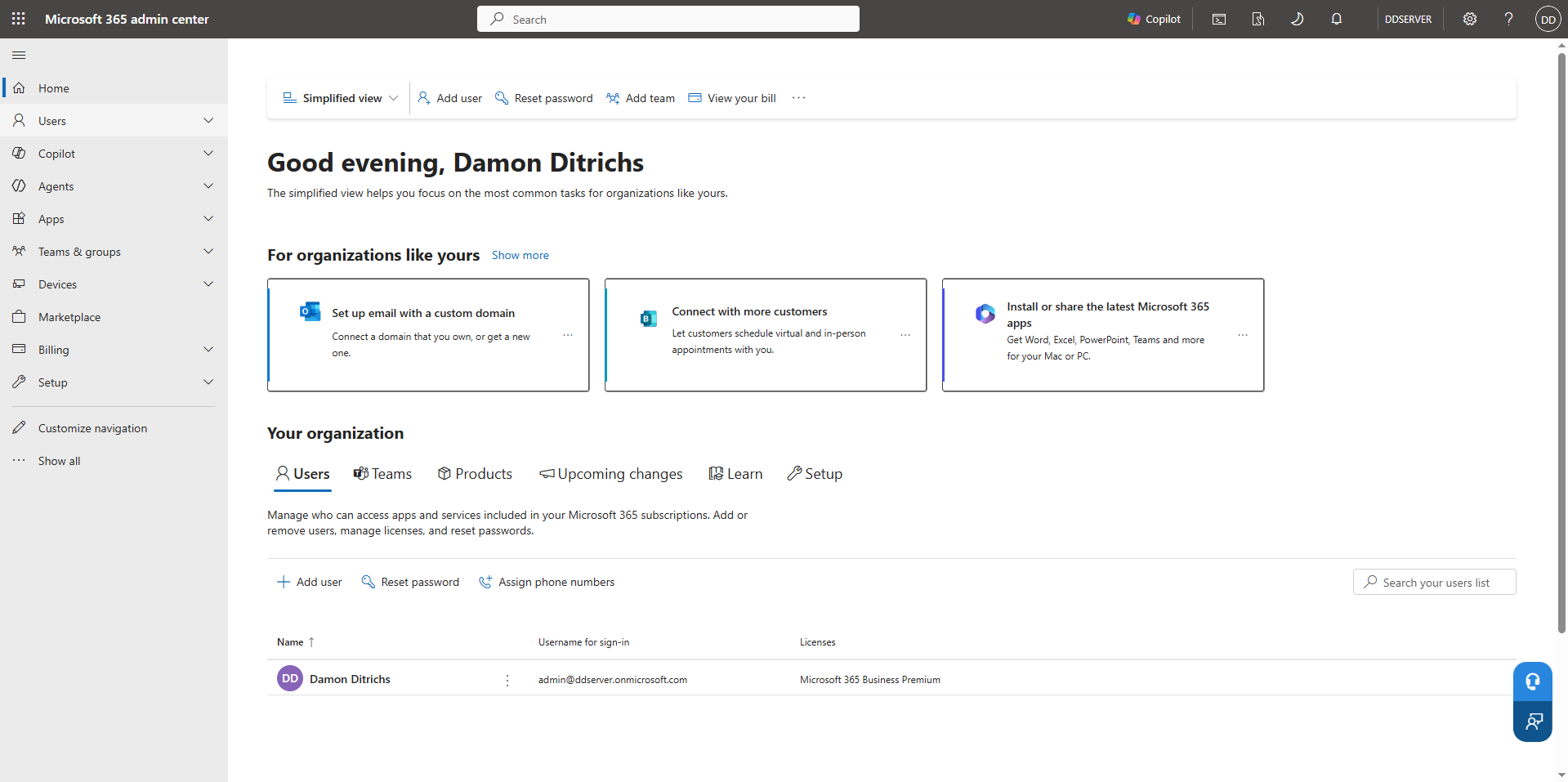
Initial configuration of the Microsoft 365 Admin Center for the organization domain ddsever.onmicrosoft.com. This administrative portal serves as the primary hub for monitoring active tenant services, managing licenses, inspecting billing state, and auditing system health.
Technical Summary: Provisioned an enterprise Microsoft 365 tenant environment (ddsever.onmicrosoft.com) with full administrative rights to simulate cloud identity management and Help Desk escalation workflows.
Cloud User Lifecycle & Role-Based Access Control (RBAC)
Standardized employee onboarding procedures require assigning granular access permissions while preventing privilege creep. Using standard operating procedures (SOP), I provisioned user accounts with role-specific attributes and enforced Role-Based Access Control (RBAC) via security groups rather than assigning permissions directly to standalone accounts.
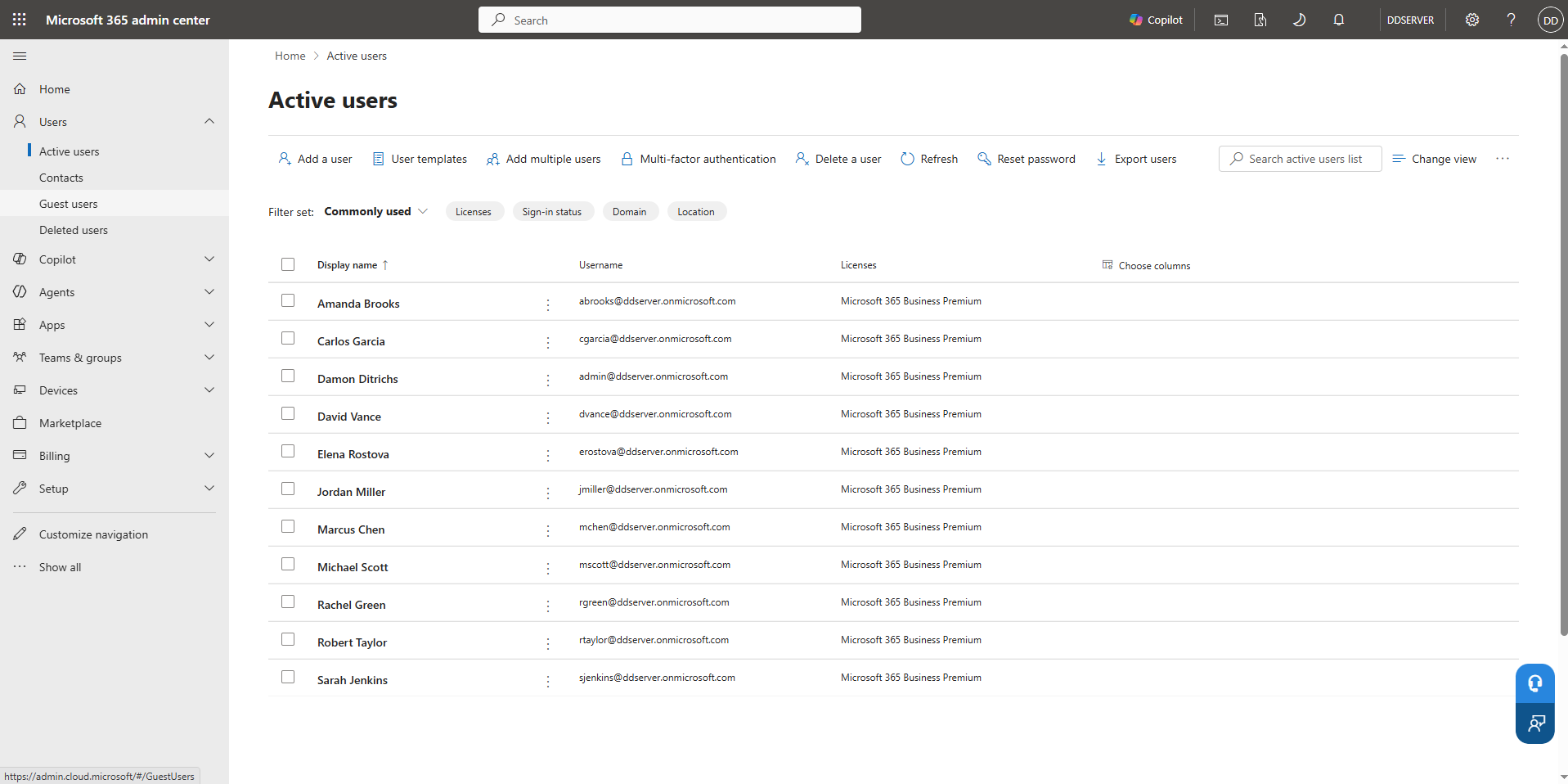
Onboarded cloud user accounts including Jordan Miller (jmiller@ddsever.onmicrosoft.com) under the Information Technology department. Configured account setup settings by assigning Microsoft 365 Business Premium licensing and enforcing mandatory initial sign-in password resets across newly provisioned staff.
Technical Summary: Executed Tier 1 user provisioning onboarding standard operating procedures (SOP): created cloud user account, applied Role-Based Access Control (RBAC) attributes, assigned M365 Business Premium licensing, and enforced initial sign-in credential updates.
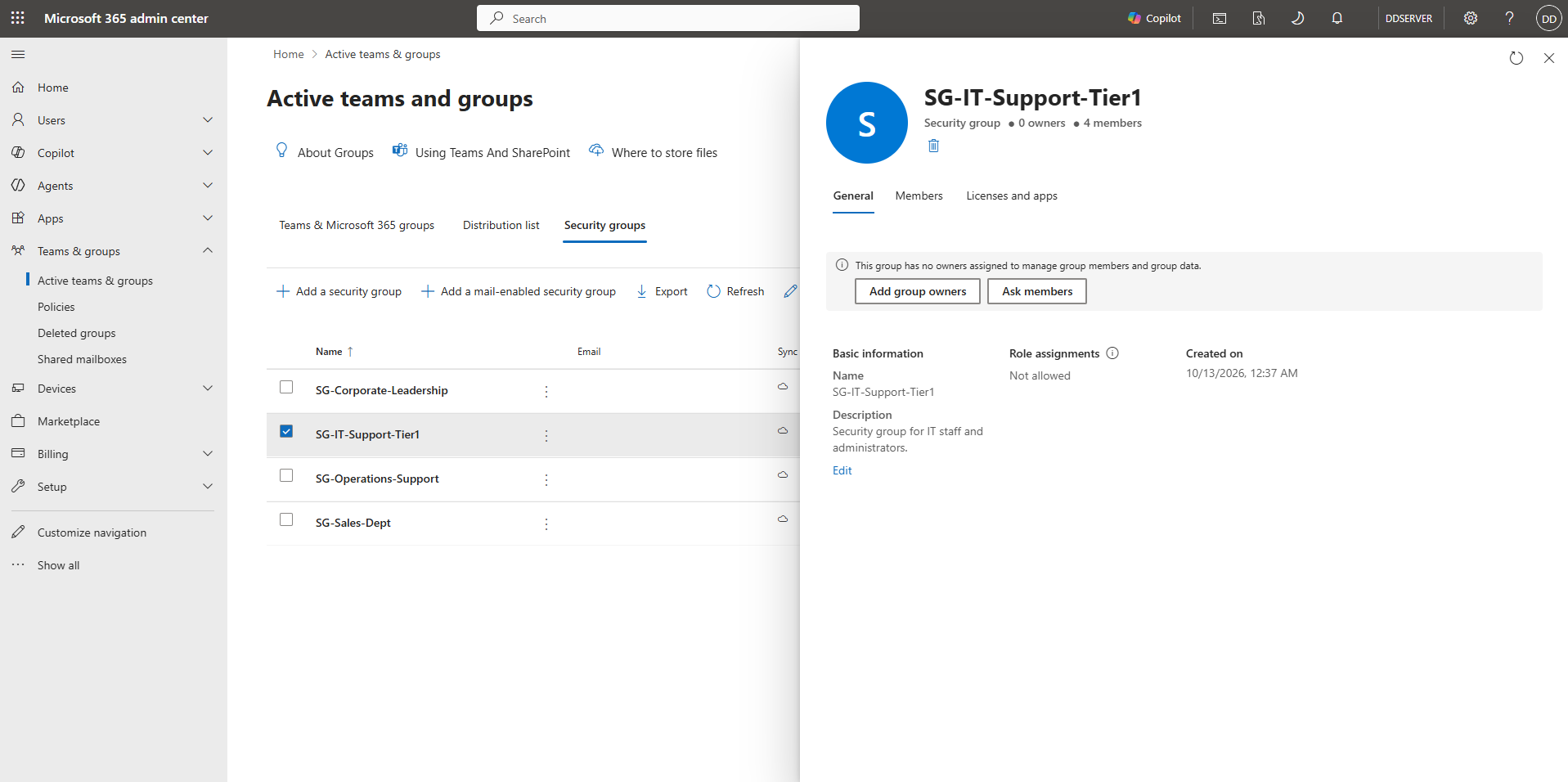
Created the SG-IT-Support-Tier1 security group to manage access controls for frontline support personnel. By populating team accounts into designated security groups, administrative rights and resource access can be audited and modified centrally rather than managed on a per-user basis.
Technical Summary: Implemented Principle of Least Privilege via Security Group administration (SG-IT-Support-Tier1) to streamline bulk permission auditing and access control.
Exchange Online Mailbox Delegation
In enterprise support organizations, teams frequently share centralized mailboxes for incoming support tickets and general client communication. To minimize licensing overhead and maintain strict administrative oversight, I deployed an Exchange Online Shared Mailbox and delegated granular permissions across the support team.
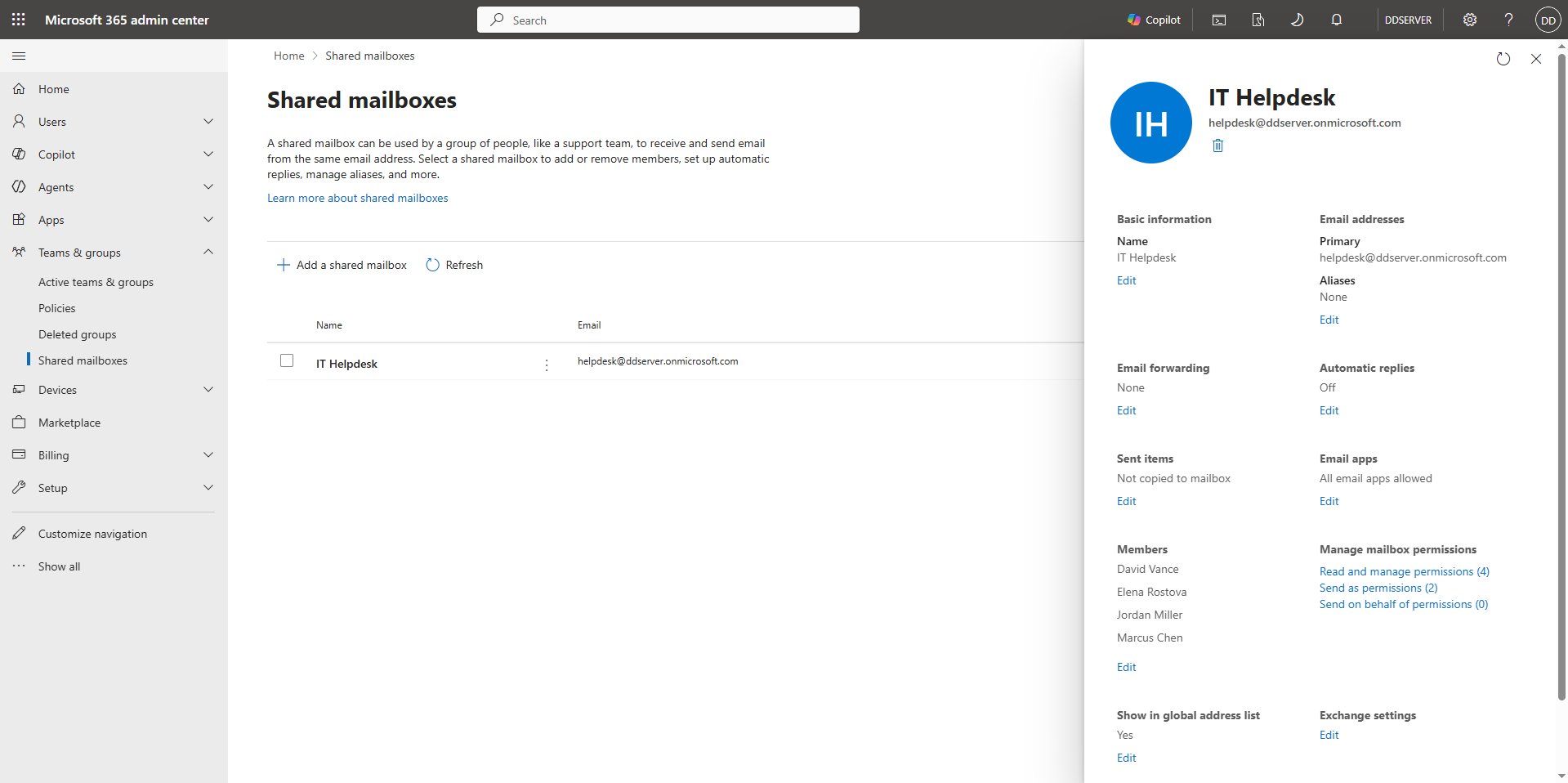
Provisioned the centralized IT Helpdesk shared mailbox (helpdesk@ddsever.onmicrosoft.com). Delegated Read and Manage and Send As authority across the 4-tier IT support staff (Jordan Miller, David Vance, Marcus Chen, and Elena Rostova), giving agents full operational access without spending unnecessary user license fees.
Technical Summary: Configured centralized IT Helpdesk shared mailbox (helpdesk@ddsever.onmicrosoft.com) and delegated Read/Manage and 'Send As' authority to the 4-tier IT support staff (jmiller, dvance, mchen, erostova) without incurring additional mailbox licensing costs.
Microsoft Entra ID Credential Management & Zero-Trust Security
The final phase models real-world Help Desk escalation scenarios: handling user access lockouts, resolving compromised authentication state, and enforcing tenant-wide Zero-Trust security rules directly inside the Microsoft Entra Admin Center.
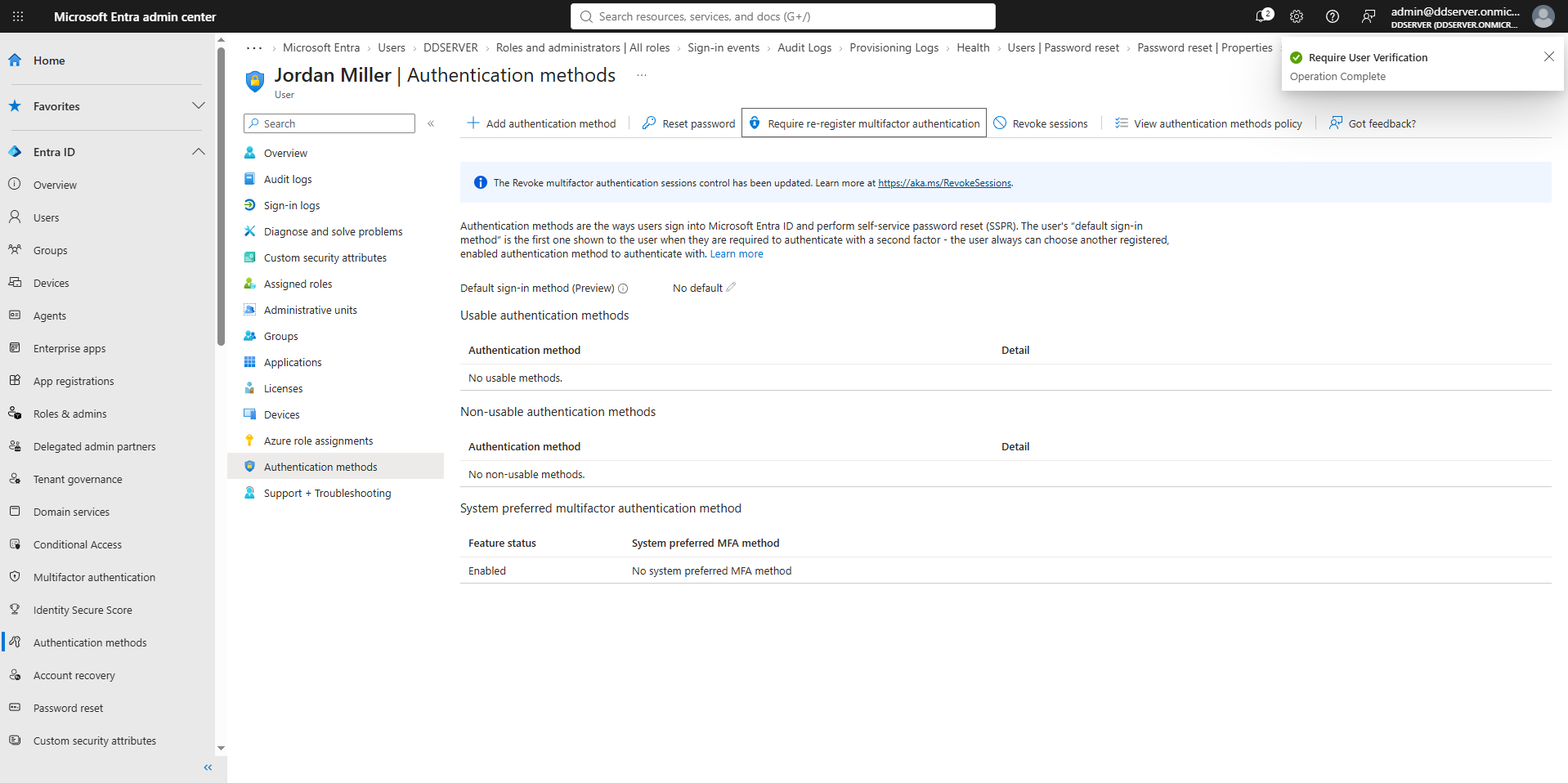
Simulated response procedures for lost authentication devices and potential account compromise. Revoked active sign-in sessions and mandated immediate Multi-Factor Authentication (MFA) re-registration for jmiller@ddsever.onmicrosoft.com to secure the account before re-entry.
Technical Summary: Resolved account access lockout ticket: executed authentication session revocation and triggered mandatory Multi-Factor Authentication (MFA) re-registration in Entra ID.
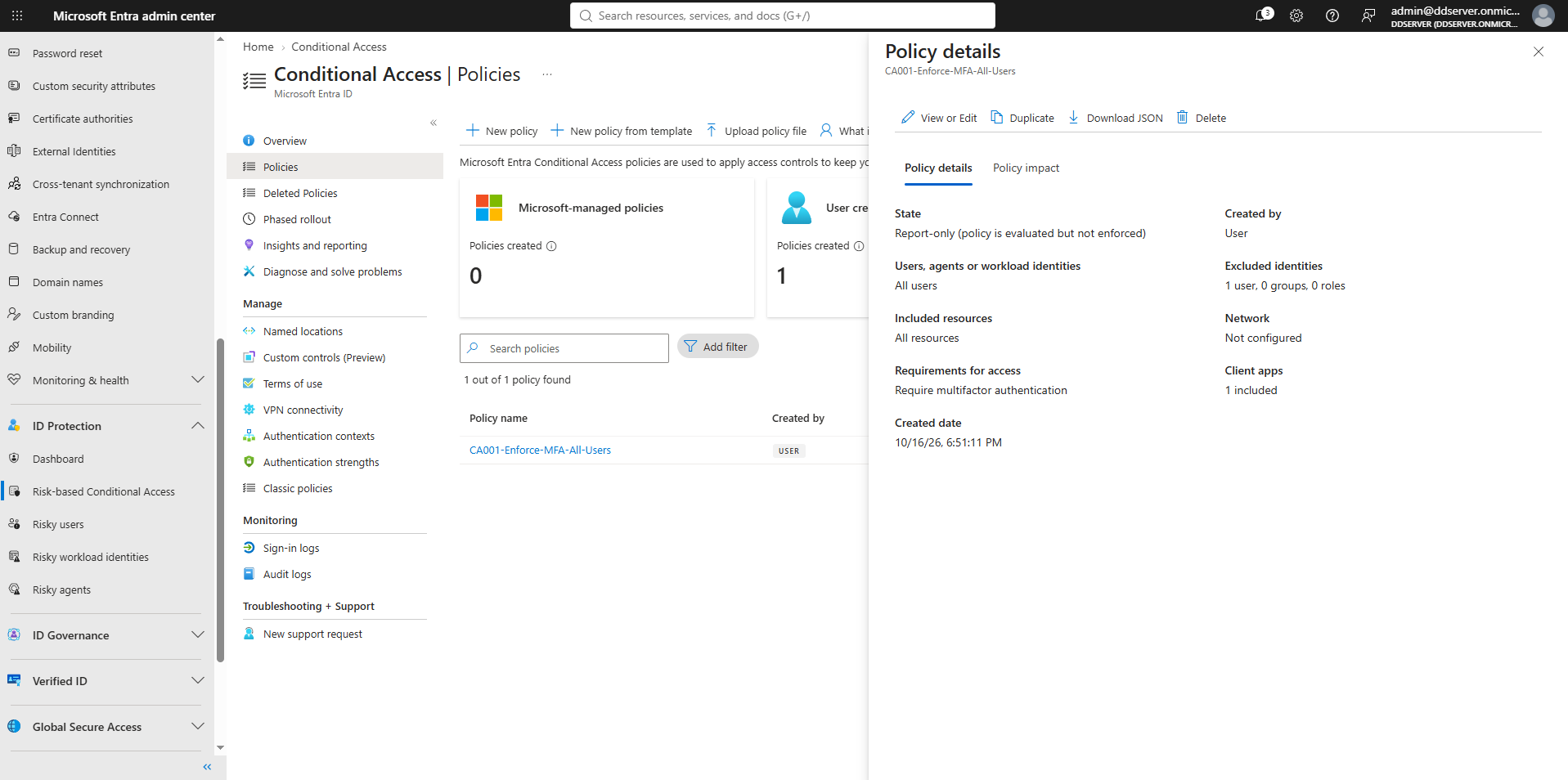
Authored and enforced an enterprise-wide Conditional Access Policy (CA001-Enforce-MFA-All-Users) requiring Multi-Factor Authentication verification for all corporate accounts accessing cloud applications. Configured explicit exclusion rules for the emergency breakout Global Admin account to prevent accidental lockout.
Technical Summary: Strengthened organizational security posture by authoring an Entra ID Conditional Access Policy requiring MFA verification across all tenant cloud applications for corporate users.
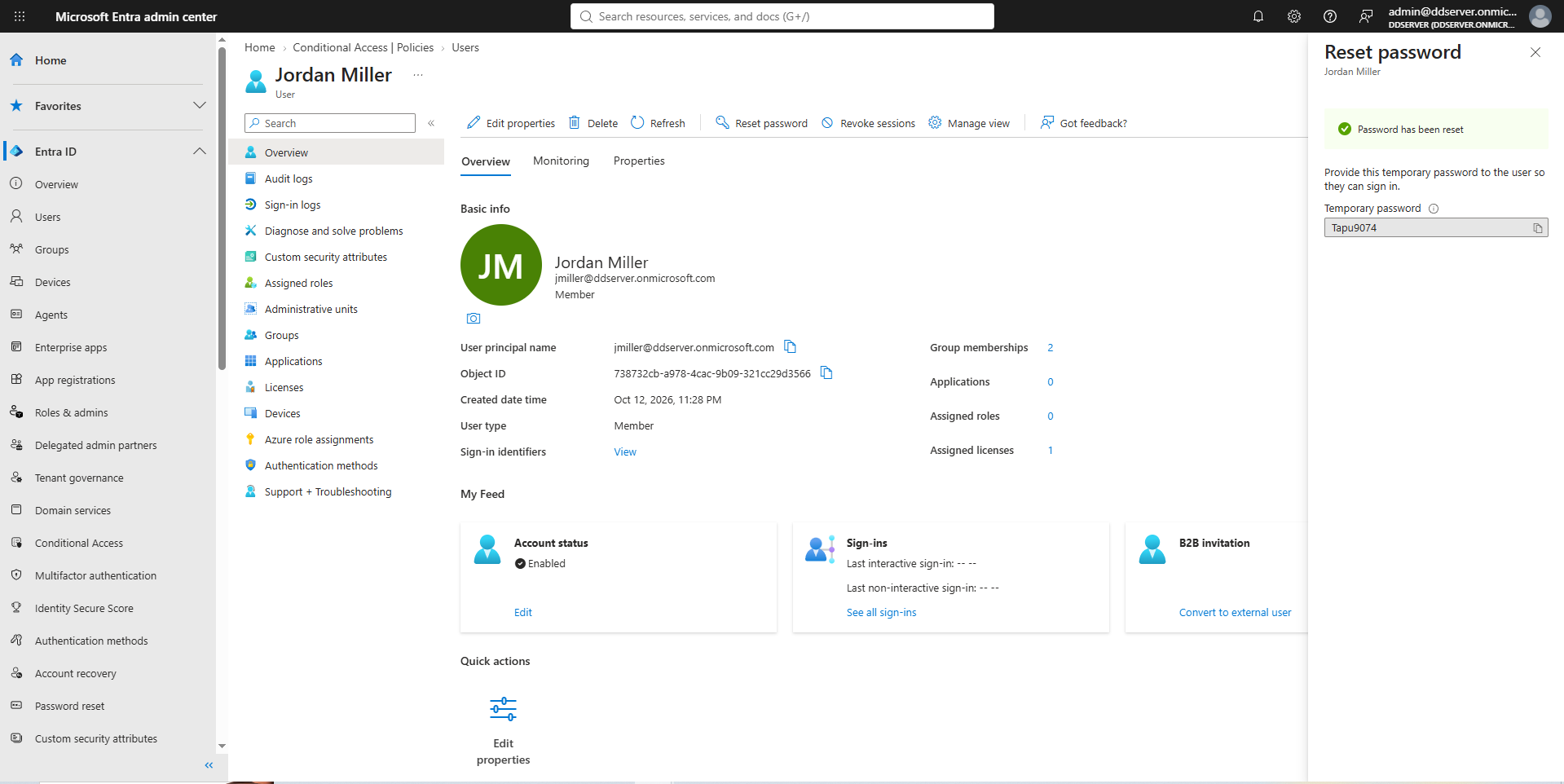
Executed direct administrative password reset protocols within Microsoft Entra ID. This workflow generates secure temporary initial credentials to restore user access during credential loss or password expiry recovery tickets.
Technical Summary: Executed administrative password reset protocol directly in Entra ID, generating temporary initial sign-in credentials to resolve user account recovery tickets.